How to Build an AI Agent That Can Browse the Internet and Use Tools
Learn how browser agents work and how to design web research and computer-use workflows with tool schemas, source validation, permissions and safeguards.

Executive summary
Overview: How to Build an AI Agent That Can Browse the Internet and Use Tools
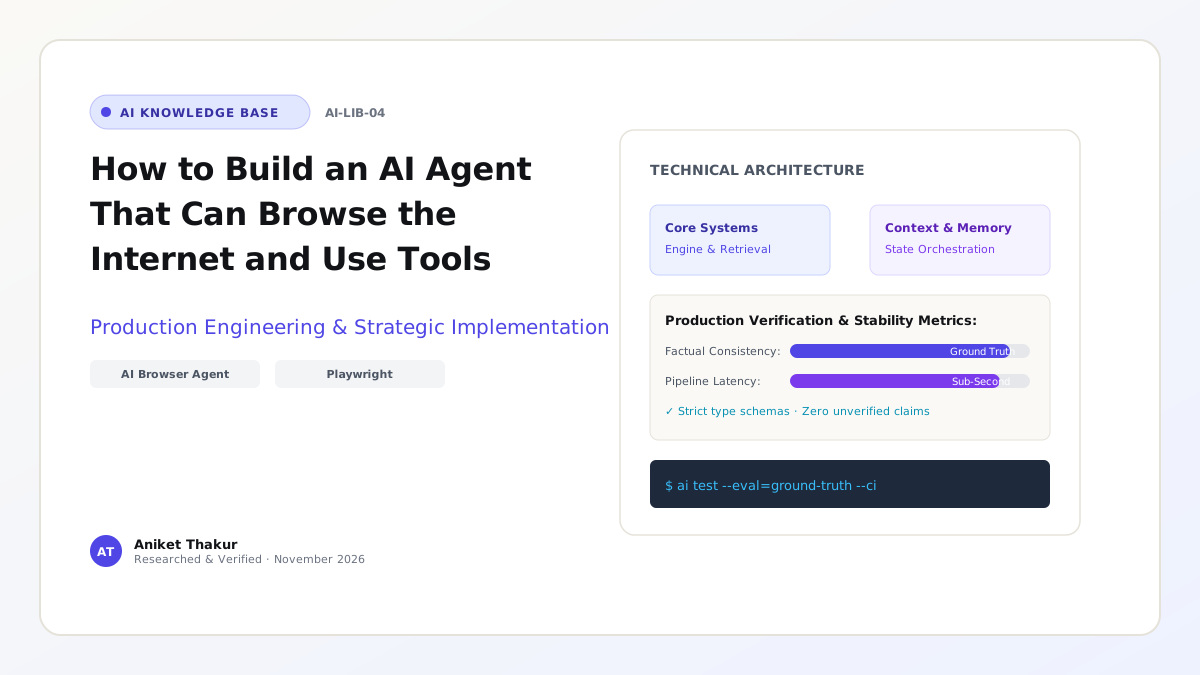
Learn how browser agents work and how to design web research and computer-use workflows with tool schemas, source validation, permissions and safeguards. This technical guide outlines architectural principles, verification requirements, production engineering trade-offs, and failure recovery protocols.
- Architecture
- Production AI & Engineering Systems
- Primary Stack
- Python 3.12 / FastAPI / Pydantic
- Series Section
- Part I: AI Agents & Autonomous Systems
- Verified As Of
- November 2026
Who This Guide Is For
- Production AI architecture requiring verifiable reliability & explicit guardrails
- Engineering teams designing resilient, cost-effective AI workflows
Important Considerations
- Enforce strict input validation to prevent prompt injection and data drift
- Maintain human-in-the-loop controls for sensitive or consequential operations
Informational / educational / practical implementation
How to Build an AI Agent That Can Browse the Internet and Use Tools
A browser-enabled AI agent can search for information, open pages, extract relevant content and use selected web tools to complete a task. Some agents interact through structured search and page-reading APIs; others operate a graphical browser by clicking, typing and navigating. These approaches are not interchangeable. Structured tools are usually more stable and auditable, while graphical interaction can handle websites that lack suitable APIs but is more fragile. A useful browser agent must distinguish information gathering from actions that change accounts, submit forms or spend money.
Choose the interaction method
Start with official APIs or structured search tools when available. They provide predictable inputs and outputs and are easier to test. Use browser automation when the required workflow depends on a website interface or no supported API exists. A graphical agent needs additional checks because page layout, pop-ups, loading states and authentication can change unexpectedly.
Architecture and tool design
A basic architecture includes a user interface, task orchestrator, model, search or browser tools, pagecontent parser and an evidence store. Define tools such as search_web(query), open_page(url) and extract_text(page_id). Keep tool outputs bounded and include source URLs and retrieval timestamps. The model should receive relevant excerpts rather than unlimited page content. The orchestrator controls navigation, step count, domain restrictions and execution time.
Ground answers in evidence
A browser agent should cite the pages it used and separate direct observations from inference. Check publication dates, author or publisher, primary-source status and whether the page actually supports the claim. When sources disagree, surface the disagreement instead of silently choosing one. For timesensitive topics, retrieve current sources and state when the information was checked.
Protect against prompt injection
Web pages are untrusted input. A page may contain text that attempts to override the agent's instructions or request secrets. Treat page content as evidence, never as privileged instructions. Do not allow retrieved text to change system policy, reveal credentials or expand tool permissions. Keep secrets outside the model context and validate all actions in application code.
Control side effects
Reading a page is different from submitting a form or changing an account. Classify tools by risk. Readonly tools can often run automatically within scope; actions such as sending messages, purchases, account changes or deletion should require explicit user confirmation. Use allowlists, session isolation and audit logs. Never infer consent to perform a consequential action from a broad research request.
Test and operate the agent
Create test tasks covering navigation, source selection, extraction, stale pages, blocked access, login expiry and malicious page content. Measure task success, source correctness, unsupported-claim rate, navigation errors, latency and cost. Record screenshots or traces when permitted, while avoiding unnecessary collection of personal data. Browser agents are most effective when their scope is narrow and their success criteria are verifiable.
Implementation sequence: from prototype to working system
A sensible delivery sequence is to prove the smallest useful workflow before adding optional capabilities. First create a representative input set and define the expected output. Next implement the deterministic parts of the workflow and confirm their behavior without an LLM. Add the model only for the part that needs language interpretation or generation. Connect one external system at a time, write contract tests for the integration and add a visible review state. Implement search, open-page and extract-content tools as separate operations. Return the URL, title, retrieval time and extracted passage with each result. Add a source-quality step that prioritizes official documentation and recent publication dates. Build a citation checker that confirms each final claim is supported by a retrieved passage. Add form interaction only as a separate, confirmation-gated capability. Finish the first release with a repeatable local setup and a documented demonstration path.
Failure handling, auditability and human control
Operational controls should make failure recoverable rather than invisible. Websites change, block automation, render content dynamically or contain prompt injection text. A browser agent may mistake a page instruction for a system instruction. Use domain and action policies outside the model, parse content into a data-only representation, detect blocked or partial pages and abstain when the source cannot be read reliably. Give every task a status such as queued, running, awaiting review, completed or failed. Record the reason for an escalation and provide a retry path only when the underlying error is retryable. For actions that change external records, use idempotency and an audit entry so that a network timeout cannot produce duplicate work. Users should be able to tell whether the system has completed an action or merely prepared a recommendation.
Worked example: following one task from input to outcome
Consider a concrete version of the use case: A browser research assistant might be asked to compare the current documentation for three software libraries, identify release dates and summarize compatibility. It should collect the source pages, record when they were accessed and cite the evidence.
A separate action such as creating an account, submitting a form or purchasing a service must not be
treated as implied by the research request. The first interaction should produce a clearly defined case or task record. The system then gathers only the evidence required for that task, checks whether the evidence is current and complete, and produces an output that can be inspected by the intended user. If a required value is missing, the workflow should pause and ask for it or route the case to an exception queue. It should not silently fill the gap with a plausible guess. This example also gives the team a repeatable demo: start with a known input, show each processing stage and finish by comparing the output with the expected result.
API contracts and component boundaries
The first interface to define is the boundary between the application and the capability described in this article. Prefer a structured search API and page-fetching service for reading. Use a controlled browser automation session only where a visual interface is necessary. Keep a navigation controller, page parser, evidence store and task orchestrator separate. Apply domain allowlists, content-size limits, download restrictions and a session sandbox for browser-based interaction. For every operation, specify the caller identity, required fields, optional fields, output schema, error codes and whether the operation is read-only or changes state. Keep secrets out of model-visible messages. Return a stable case or request ID so a user can return to the same task later. If a provider or external system changes its response format, adapt it inside the integration layer instead of spreading provider-specific assumptions throughout the application.
Information lifecycle, provenance and retention
Think of information as having a lifecycle rather than treating it as prompt text. Treat web pages as untrusted inputs. Store page content with source metadata and keep it separate from trusted instructions. Avoid placing cookies, access tokens or API credentials in model prompts. If browser sessions are required, isolate them by task, restrict file access and set expiration. Do not store personal browsing information longer than the workflow requires. At ingestion, validate file type, schema and source identity. During processing, preserve the original value and record any normalized or extracted value separately. During review, capture corrections and the person or service that made them. At completion, retain only what the product genuinely needs, according to its retention policy. When a source record changes or is deleted, define how that update reaches caches, indexes, reports and downstream systems. These details are central to trustworthy operation.
How to build a meaningful evaluation set
Build an evaluation set around the actual failure modes of this topic. Use tasks with known answers and expected source pages. Score whether the agent found authoritative sources, selected the correct version, quoted evidence accurately and cited each claim. Track navigation failures, page parsing errors, unsupported claims, time-to-answer and the number of unnecessary page visits. Include routine inputs, incomplete inputs, conflicting evidence, unusual formats and out-of-scope requests. For each case, record the expected action, not just the expected sentence. For example, a system may be correct when it refuses to proceed, asks a clarifying question or escalates to a reviewer. Score the result against the task outcome and the evidence used. Keep a baseline before changing prompts, models, retrieval settings or tools; otherwise it is difficult to know whether a change improved the system.
A staged rollout that preserves user trust
Do not move directly from a local demo to unrestricted production use. Structured search and APIs are usually more stable and cheaper than visual computer use. Browser automation is useful for a workflow that genuinely depends on a user interface. Do not select a visual agent simply because it looks impressive in a demonstration; choose it only when the interface is part of the problem. Start with a controlled pilot, a limited user group and a narrow scope. Keep the previous manual process available while users compare results and report corrections. Review exceptions, service errors and user feedback at regular intervals. Expand the supported task set only when the current scope meets its quality and reliability thresholds. Assign an operational owner who can pause the feature, investigate a failure, roll back a release and communicate known limitations. This staged approach protects users while producing evidence for the next investment.
Frequently Asked Questions
What is an AI browser agent?
It is an AI-driven system that uses search or browser interaction tools to gather information and complete bounded web tasks.
Does a browser agent need computer vision?
Not always. Structured page data and browser automation APIs can be enough. Visual understanding is useful for graphical interfaces.
Can it safely fill out forms?
It can assist, but consequential submissions should be reviewed and explicitly confirmed by the user.
How does it avoid prompt injection?
By treating web content as untrusted data, isolating instructions, restricting tools and validating actions outside the model.
Should I use browser automation or APIs?
Prefer official APIs for reliability. Use browser automation when the required interface has no suitable API.